Sanctum Zone

Keyword
A+ A A-
Welcome, Guest
Username: Password: Remember me
Member feedback is appreciated! Don't be shy and drop us a note. We want to hear from you and strive to make our site better and more user friendly for our members.

TOPIC: practice of putting pics up

Re: practice of putting pics up 31 Aug 2012 07:03 #81

  • irrepressible
  • irrepressible's Avatar
  • ZONED OUT
  • Voluntarily Inactive
  • Rank0
  • Posts: 4401
  • Thank you received: 1770
  • Karma: 95
www.google.co.uk/imghp?hl=en&tab=wi

Type in whatever you want in the box, and then click on one you like then click full size image, then right click you r mouse and left click copy, then in your post right click your mouse and left click paste, then wrap the img size=300 in [] :D

I'm a bit crap at explaining :nilly:
You must register to post here.

Re: practice of putting pics up 31 Aug 2012 07:03 #82

  • feather
  • feather's Avatar
  • ZONED OUT
  • Gold Boarder
  • Rank5
  • I got 99 problems being Merv ain't one.
  • Posts: 9557
  • Thank you received: 9419
  • Karma: 93
All of these have square brackets around them.....

If you do a quote, you start the quote then end the /quote
a quote then looks like this

If you post a map you start the map then end the /map

You've nailed posting maps.

If you post an image you start the img then end the /img
as you did with ...

7176


The forward slash / means end

I strongly suggest you open a photobucket account though.
It generates the img codes automatically for you.
You then just click copy and paste it straight into the reply box here.
You must register to post here.

Re: practice of putting pics up 31 Aug 2012 07:04 #83

  • irrepressible
  • irrepressible's Avatar
  • ZONED OUT
  • Voluntarily Inactive
  • Rank0
  • Posts: 4401
  • Thank you received: 1770
  • Karma: 95
Debbie Harry Black And White
You must register to post here.

Re: practice of putting pics up 31 Aug 2012 07:04 #84

  • dawnbreak
  • dawnbreak's Avatar
  • ZONED OUT
  • Gold Boarder
  • Rank5
  • R.I.P DG xxx
  • Posts: 3533
  • Thank you received: 1198
  • Karma: 94
David Icke
You must register to post here.

Re: practice of putting pics up 31 Aug 2012 07:06 #85

  • feather
  • feather's Avatar
  • ZONED OUT
  • Gold Boarder
  • Rank5
  • I got 99 problems being Merv ain't one.
  • Posts: 9557
  • Thank you received: 9419
  • Karma: 93
nites/morning/wherever you are.
Off To Bed Smiley
You must register to post here.

Re: practice of putting pics up 31 Aug 2012 07:07 #86

  • dawnbreak
  • dawnbreak's Avatar
  • ZONED OUT
  • Gold Boarder
  • Rank5
  • R.I.P DG xxx
  • Posts: 3533
  • Thank you received: 1198
  • Karma: 94
bye jove i think I've got it .......


Thank you both for your help
You must register to post here.

Re: practice of putting pics up 31 Aug 2012 07:09 #87

  • irrepressible
  • irrepressible's Avatar
  • ZONED OUT
  • Voluntarily Inactive
  • Rank0
  • Posts: 4401
  • Thank you received: 1770
  • Karma: 95
novum wrote:
We have some intermittent issues with images not appearing when simply wrapped in
[img] [/img]
tags.

Irre has found a fix for this, by adding a size into the first tag. You simply add the width you want the image to be, example...
[img size=600]  [/img]

this can either be done by typing the tags manually around the image url, or using the image insert tool in the boardcode tools above the reply box, and entering a size in the size field.

So we suggest that members add a size to their image when posting one.

You dont have to know the size of your image by the way, simply enter a size you would like the image to be, and the forum will make it the size you entered, regardless of what size the image was to begin with.

The width of the image will become the size that you have entered.

regards,

Admin team.

Has this problem been sorted out? Or is it still there?
Last Edit: 31 Aug 2012 07:10 by irrepressible.
You must register to post here.

Re: practice of putting pics up 31 Aug 2012 07:22 #88

  • dawnbreak
  • dawnbreak's Avatar
  • ZONED OUT
  • Gold Boarder
  • Rank5
  • R.I.P DG xxx
  • Posts: 3533
  • Thank you received: 1198
  • Karma: 94
T1.gstatic
You must register to post here.

Re: practice of putting pics up 31 Aug 2012 07:23 #89

  • dawnbreak
  • dawnbreak's Avatar
  • ZONED OUT
  • Gold Boarder
  • Rank5
  • R.I.P DG xxx
  • Posts: 3533
  • Thank you received: 1198
  • Karma: 94
[imghttps://t1.gstatic.com/images?q=tbn:ANd9GcSTLT2vcezris0rV3NaFHF35goSEb17fjBeHjwVbq0GM219Bt2A/img]
You must register to post here.

Re: practice of putting pics up 31 Aug 2012 07:24 #90

  • dawnbreak
  • dawnbreak's Avatar
  • ZONED OUT
  • Gold Boarder
  • Rank5
  • R.I.P DG xxx
  • Posts: 3533
  • Thank you received: 1198
  • Karma: 94
https://t1.gstatic.com/images?q=tbn:ANd9GcSTLT2vcezris0rV3NaFHF35goSEb17fjBeHjwVbq0GM219Bt2A[img][img]t1.gstatic.com/images?q=tbn:ANd9GcSTLT2v...fjBeHjwVbq0GM219Bt2A[img]
You must register to post here.

Re: practice of putting pics up 31 Aug 2012 07:26 #91

  • dawnbreak
  • dawnbreak's Avatar
  • ZONED OUT
  • Gold Boarder
  • Rank5
  • R.I.P DG xxx
  • Posts: 3533
  • Thank you received: 1198
  • Karma: 94
Www.google.co
You must register to post here.

Re: practice of putting pics up 31 Aug 2012 07:28 #92

  • dawnbreak
  • dawnbreak's Avatar
  • ZONED OUT
  • Gold Boarder
  • Rank5
  • R.I.P DG xxx
  • Posts: 3533
  • Thank you received: 1198
  • Karma: 94
i can't do it again!
You must register to post here.

Re: practice of putting pics up 31 Aug 2012 07:56 #93

  • Boots
  • Boots's Avatar
  • ZONED OUT
  • Junior Boarder
  • Rank2
  • Posts: 434
  • Thank you received: 234
  • Karma: 22
Hows it going dawny.

Looks like you might have lost it again, not to worry.

Step 1. Choose a pic, then right click on image, which will bring up box.

Step 2. click on either copy or copy & paste. OR view image info. Which will bring up another box. The image you want SHOULD be highlighted in blue, click that.

Step 3. on your post page you will see the font's and writing styles as well as Quote box and other's.

You will see the square box, that looks like a picture with, what looks like a chain underneath. Click on that.

What will happen is a drop down box appears just above the emoticons, and below the writing style boxes etc, the one where you clicked on the image box,


Step 4. What you will see is SIZE, a blank, then URL with the....https://.........CLEAR that http;// then paste your image. Then hit INSERT. It then appears in your post. AND that's it.

You must clear that https:// before pasting the URL.

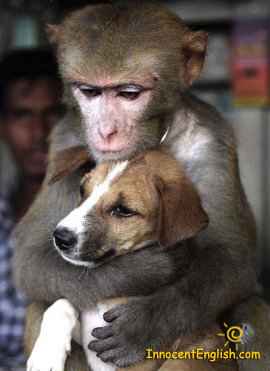
Monkeyhuggingdog


Are you using firefox?

Edit:


Mmm right it's doing some weird things when I type https:// which is in step 4.
Last Edit: 31 Aug 2012 08:33 by Boots.
You must register to post here.

Re: practice of putting pics up 31 Aug 2012 07:59 #94

  • dawnbreak
  • dawnbreak's Avatar
  • ZONED OUT
  • Gold Boarder
  • Rank5
  • R.I.P DG xxx
  • Posts: 3533
  • Thank you received: 1198
  • Karma: 94
Nosferatu 5
You must register to post here.

Re: practice of putting pics up 31 Aug 2012 08:03 #95

  • novum
  • novum's Avatar
  • ZONED OUT
  • Gold Boarder 
  • Rank5
  • Posts: 4125
  • Thank you received: 2306
  • Karma: 0
dawnbreak wrote:
i can't do it again!

Your links must have .jpg or .gif on the end. (the correct extension) or they wont work here.

You arent getting to the right link which is the image with the correct end.

You need to press the link on google results for the pic you want first...then press "full size image" on the RHS of google.

You are opening the pics that come straight up on google and getting the link like that...it doesnt work like that.
Y11
You must register to post here.

Re: practice of putting pics up 31 Aug 2012 08:04 #96

  • Boots
  • Boots's Avatar
  • ZONED OUT
  • Junior Boarder
  • Rank2
  • Posts: 434
  • Thank you received: 234
  • Karma: 22
Tell me what you are doing dawn. Step by Step.
You must register to post here.

Re: practice of putting pics up 31 Aug 2012 08:05 #97

  • dawnbreak
  • dawnbreak's Avatar
  • ZONED OUT
  • Gold Boarder
  • Rank5
  • R.I.P DG xxx
  • Posts: 3533
  • Thank you received: 1198
  • Karma: 94
bots my box says

save image as

copy image url

copy image

Inspect the element


which one do i click?
You must register to post here.

Re: practice of putting pics up 31 Aug 2012 08:07 #98

  • novum
  • novum's Avatar
  • ZONED OUT
  • Gold Boarder 
  • Rank5
  • Posts: 4125
  • Thank you received: 2306
  • Karma: 0
You need to left click on the google image you want first dawn, not outside click...it should then take you to another google page.

then press view full size image on that google page.
Y11
You must register to post here.

Re: practice of putting pics up 31 Aug 2012 08:08 #99

  • dawnbreak
  • dawnbreak's Avatar
  • ZONED OUT
  • Gold Boarder
  • Rank5
  • R.I.P DG xxx
  • Posts: 3533
  • Thank you received: 1198
  • Karma: 94
You must register to post here.

Re: practice of putting pics up 31 Aug 2012 08:10 #100

  • dawnbreak
  • dawnbreak's Avatar
  • ZONED OUT
  • Gold Boarder
  • Rank5
  • R.I.P DG xxx
  • Posts: 3533
  • Thank you received: 1198
  • Karma: 94
left click you sure novum's everyone has been telling me to right click?
You must register to post here.
Moderators: psketti, oioioi, batou
Time to create page: 0.772 seconds

Latest Members Blogs

  • 1
  • 2
  • 3
Prev Next

What is going on when it comes to 9-11 I…

The EPA (environmental protection agency) and OSHA took air samples in the days following September 11th, they reported that they found no excessive levels of asbestos contrary to other findings....

Read more

9-11 Eleven Years Later

9-11 Eleven Years Later

With the anniversary of September 11th literally just around the corner, unanswered questions still remain for families who lost loved ones during the tragic event, as well as from families...

Read more

Strange Noises, Possible Link to Mass An…

Strange Noises, Possible Link to Mass Animal Deaths

In 2008 the U.S. Supreme Court agreed to review a series of lower court rulings that restrict the United States Navy's use of sonar in submarine detection training exercises off...

Read more

Annual Server Target

Whether its 50 cents or five dollars, your donations are appreciated and help keep this community site running so we can all continue to enjoy using it.
This target is to meet our server cost for one year, June 2020 - May 2021, in USD.
$ 340 - Target
( £ 250 GBP )
donation thermometer
$ 192 - Raised
( £ 140 GBP )
donation thermometer
56%
Most Recent Donation:
$122 USD on 4th Jan 2021
Bitcoin Address: bc1q0kazqya0nurfxtunxv807vm0m8852nnrrk8mj8
 
Ethereum Address: 0xe69915c80dd75df19f438d556267e04f932f057d
 
More Info: Donation options for TZ

No one is obliged to donate, please only donate what you can afford. Even the smallest amount helps. Being an active member is a positive contribution. Thank You.

TradeZone Latest

Visitors

Today154
Yesterday1477
Week1631
Month154
Total1162157

Your IP Address: 216.73.216.218 Your Browser and OS: Unknown - Unknown Tuesday, 01 September 2026 03:28

Who Is Online

Guests : 625 guests online Members : No members online
© 2012 – 2021 Sanctum Zone | All rights reserved. This website is a place for people to express and discuss their views on the news and world events. DISCLAIMER: Please Note: Views expressed and submitted by contributors are their own personal opinions and do not necessarily reflect the views, opinions and beliefs of the Sanctum Zone website and its founder(s) , administrators , moderators , and any other website maintenance technicians, personnel and volunteers. Articles and messages posted on this website and forum are solely the opinion of their authors.

Login or Register

LOG IN

Register

User Registration
or Cancel